
January 22, 2026
Happy New Year! MaxAssist kicks off 2026 with its first major update.
The next step in the evolution of our integration with Mango Phone is here with more features to enhance your patient interactions. Welcome to…
Mango AI
MaxAssist now uses Mango AI to simplify viewing patient communication.
Once enabled, Mango AI creates an automatic summary of your Mango Phone calls and shows it right in the MaxAssist toolbar, so key details are always at your fingertips.
**Please note, you must be using Mango Click 2 Call for this feature to work. Not using Click 2 Call yet? Click here for more information.
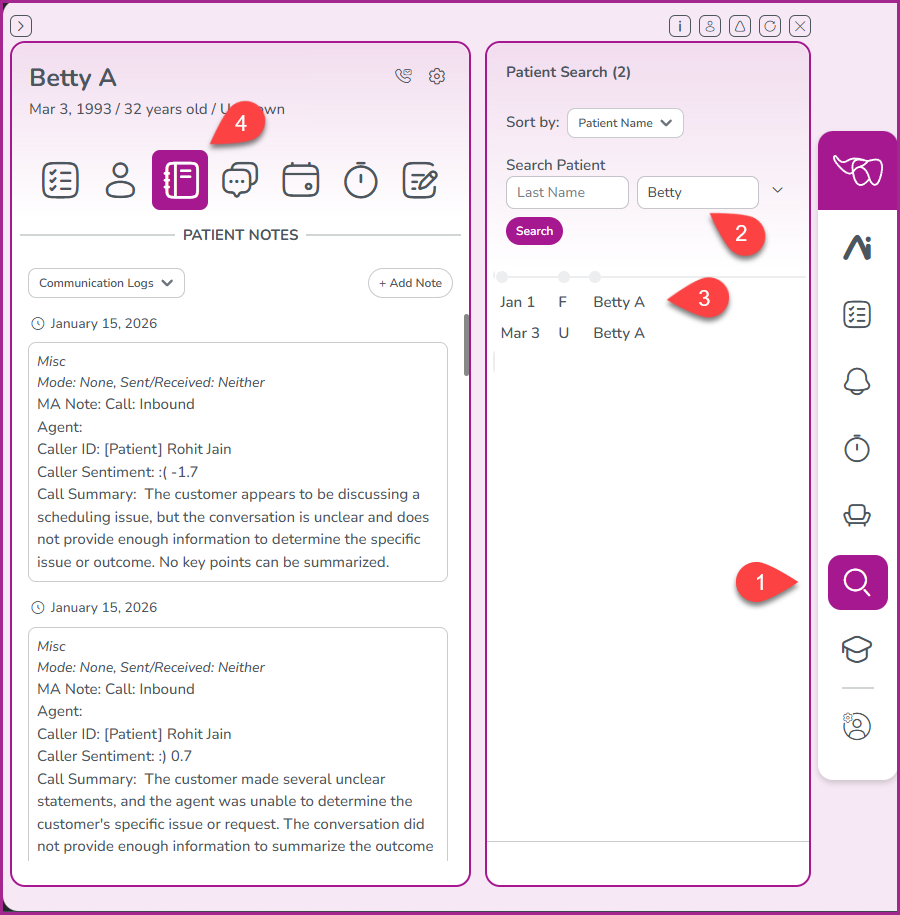
To review the Mango AI call summary for a call, click the search icon in the MaxAssist toolbar. (1) Enter the first and/or last name of the patient (2), click on the patient name in the search results (3), and then click on the Patient Notes icon (4).
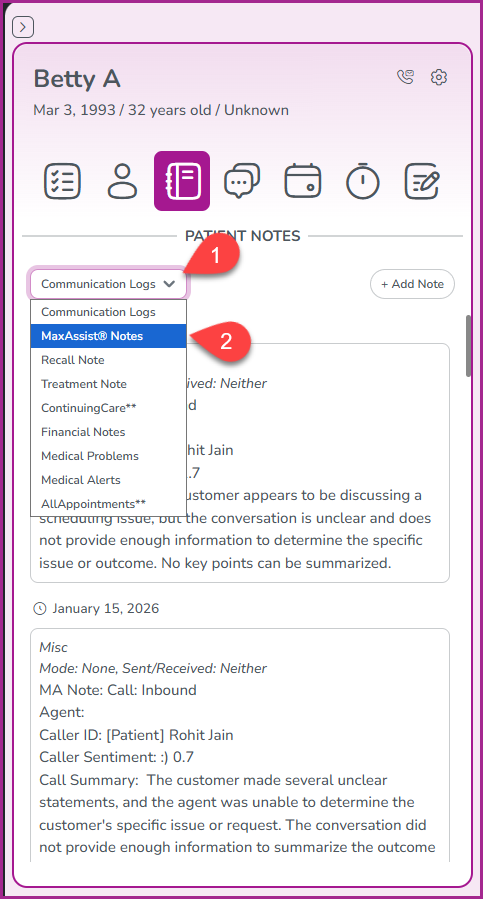
Click the pulldown menu (1) and select MaxAssist Notes (2).
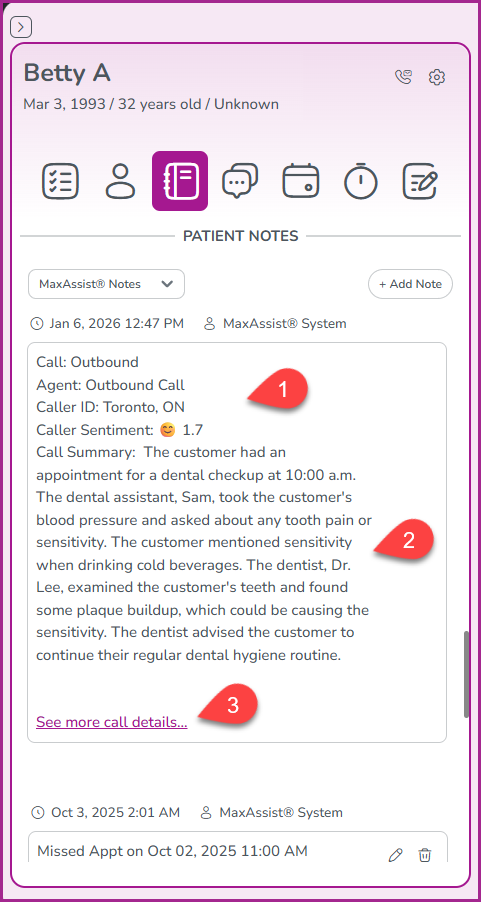
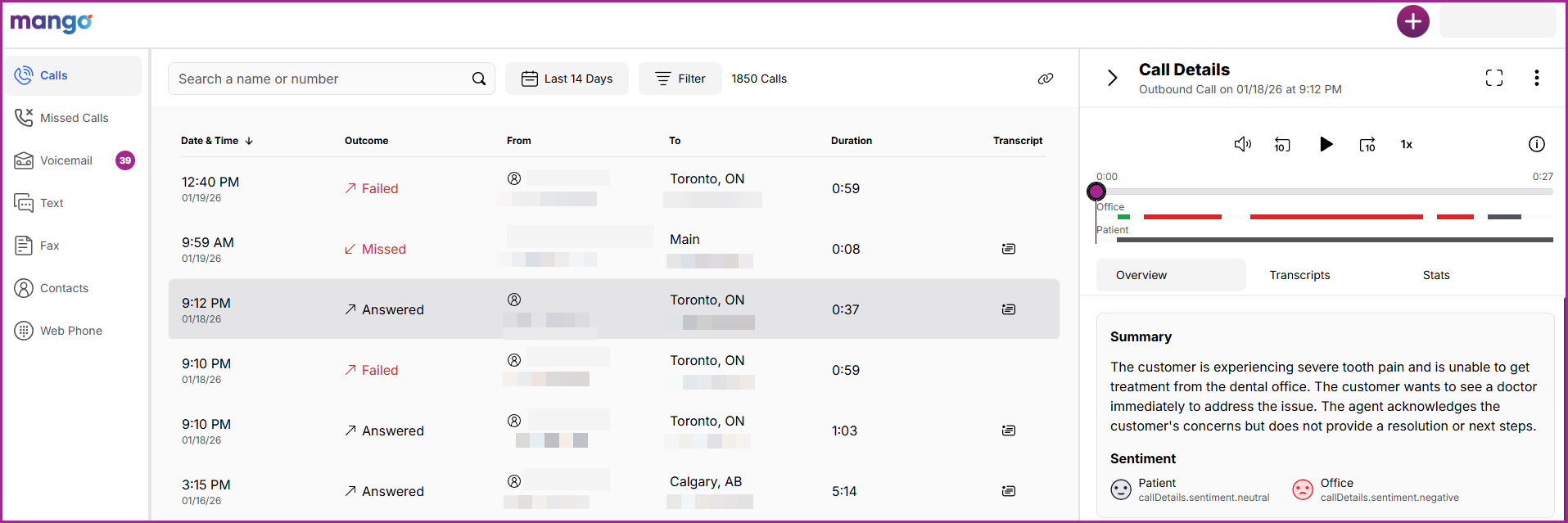
Here, you can review the call details, including call sentiment (1), the call summary (2) and a link to your Mango Dashboard (3) for even more details about that call, including the ability to hear a recording and complete transcript of the call.
Please see below…
For more information about Mango Click 2 Call or to enable Mango AI, please click here to book an appointment with our Mango Product Specialist.
Phone: 1-800-651-8603 ext 1,
email: support@maxassist.com
Live text chat at www.maxassist.com
Thanks for using MaxAssist!