
November 20, 2025
Unlock smoother workflows in Tracker with our new enhancements: streamlined Document Push, integrated Writeback Forms, and instant appointment push.
Document Push
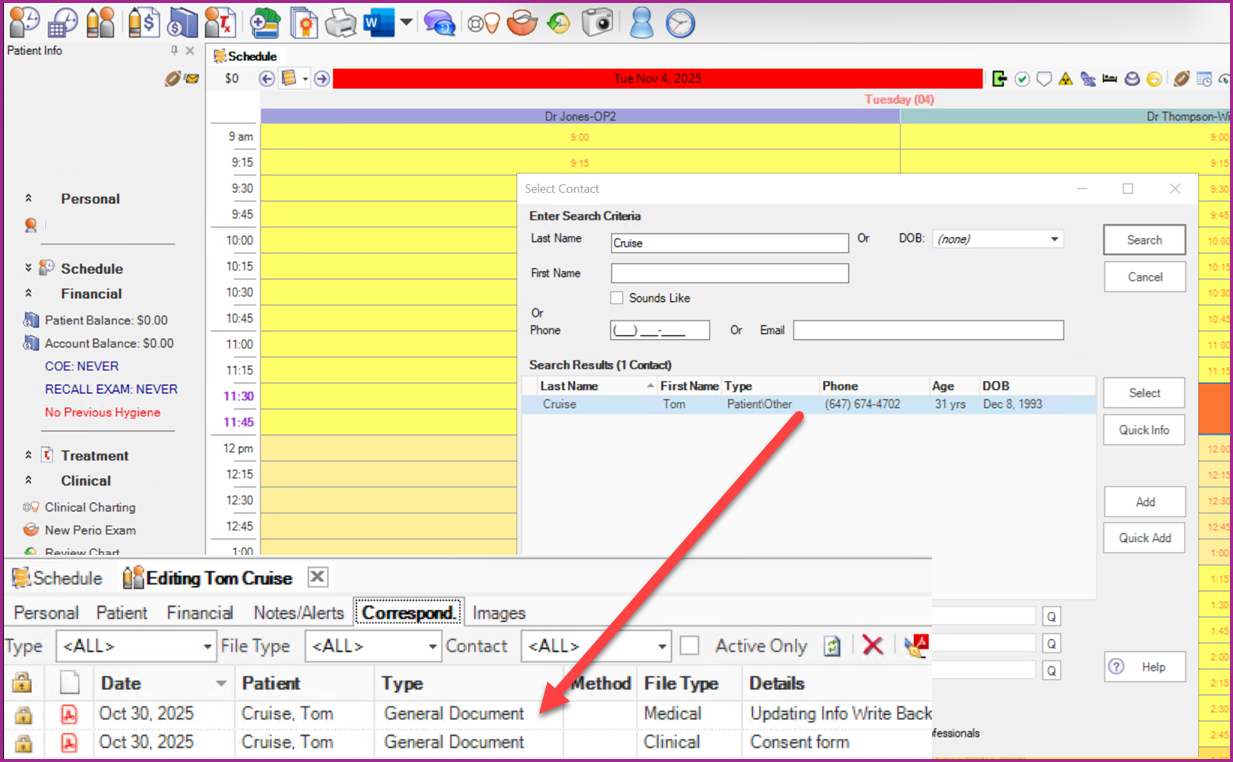
Tracker now supports document push in MaxAssist. Once a patient has completed a form it will automatically be pushed directly into the Tracker patient file. The form can be accessed by searching for the patient and going to the Correspond tab,
Writeback Forms
Now when your office is using a writeback form in MaxAssist, patient data will automatically be updated in the Tracker patient file once the form has been submitted. The fields that can be written back to Tracker are;
Patient First Name
Patient Last Name
Patient Middle Name
Address1
Address2
City
Postal Code
Email
Home Phone
Cell Phone
Work Phone
Patient Birth Date
***These are the only fields that Tracker allows for writeback***
Appointment Push for an Existing Patient
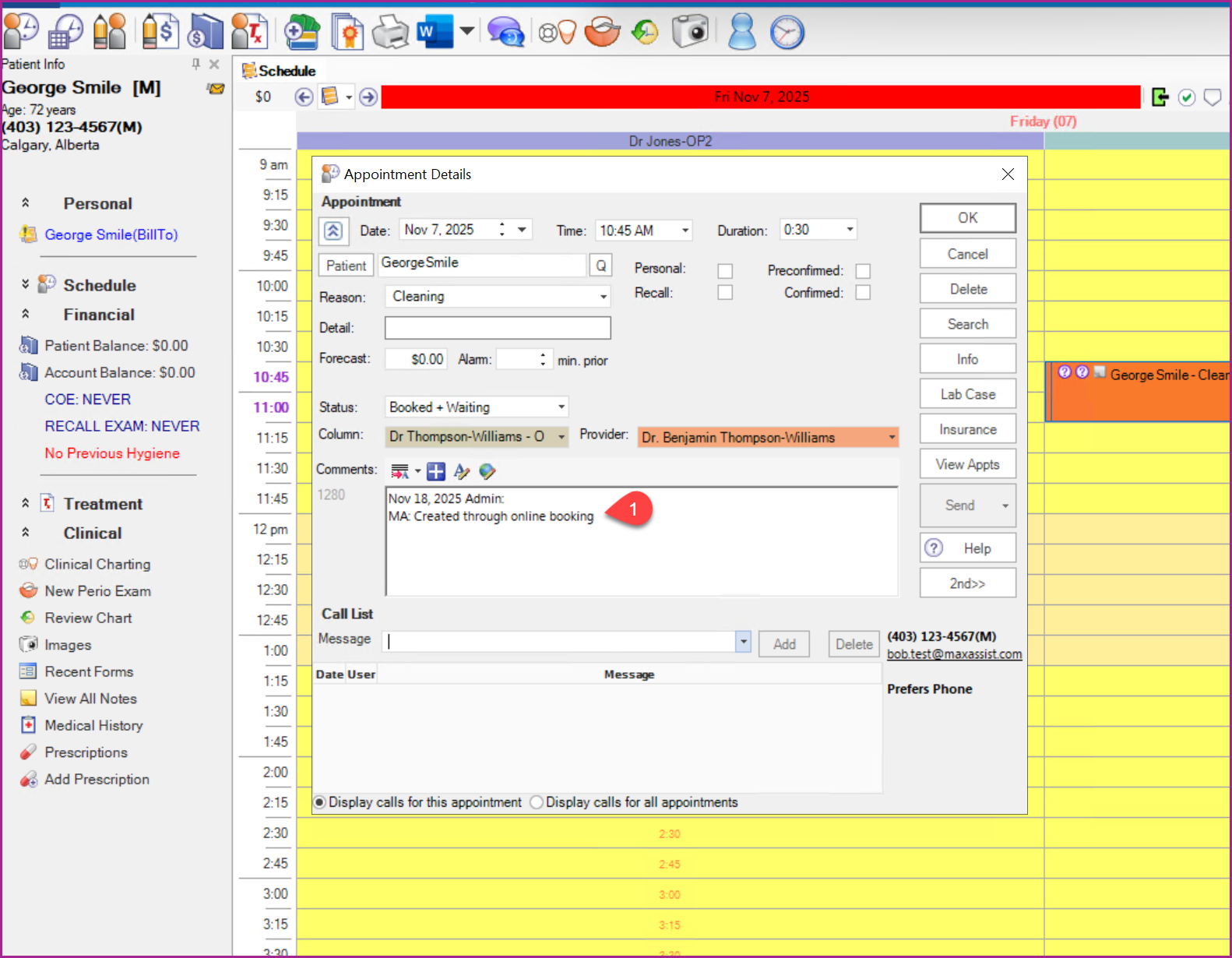
Once a patient has booked an appointment in the MaxAssist Online Booking, the appointment will be visible in Tracker with the patient details already filled in.
An appointment note will also be visible indicating that the appointment was booked using Online Booking. e.g., “MA: Created through online booking” (1) .
Appointment Push for a New Patient
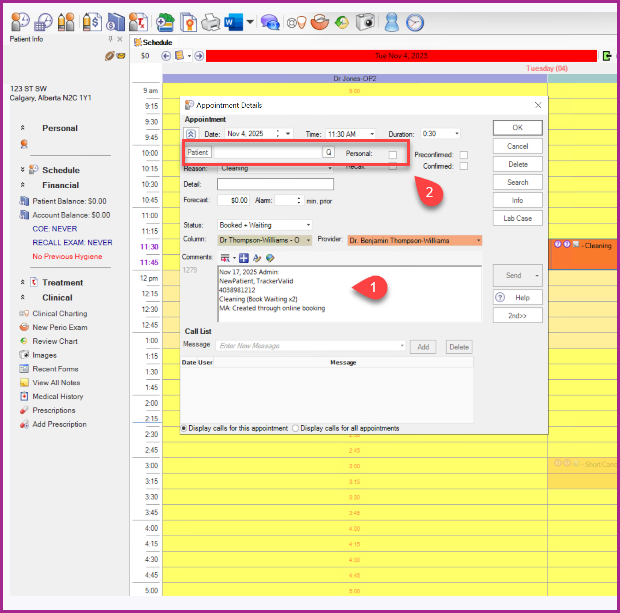
Once a new patient has booked an appointment using MaxAssist Online Booking, an appointment block or event is created in Tracker.
An appointment Note will be appended with the patient information (1).
From there, you can mark the appointment as Personal or create a new patient file in Tracker (2).
If you would like more information about MaxAssist Online Booking as mentione above, please click here.
For more information on this or any of our features, please reach out to us.
Phone: 1-800-651-8603 ext 1,
email: support@maxassist.com
Live text chat at www.maxassist.com
Thanks for using MaxAssist!