
Introducing MaxAR
We're excited to announce the launch of MaxAR, Accounts Receivable and Text to Pay in MaxAssist!
A smarter way to manage outstanding balances right in the MaxAssist Toolbar. Monitoring outstanding balances just became faster, easier, and more efficient.
Less chasing. More tracking. Better visibility. Faster payments.
It's everything you need to stay in control of your cash flow right in the MaxAssist toolbar.
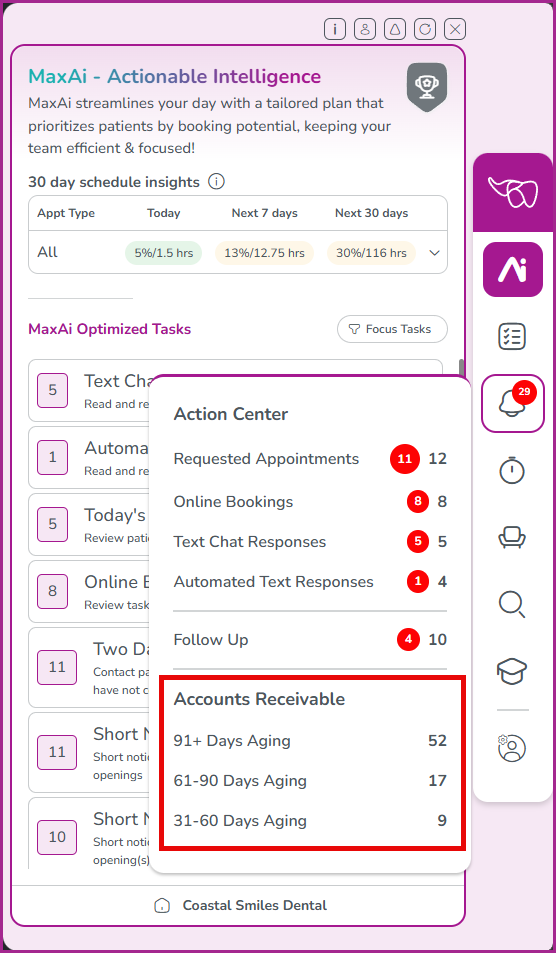
Outstanding accounts are automatically organized into 31–60, 61–90 and 91+ day aging lists in the Action Center, making it easier to see what requires attention and where to begin.
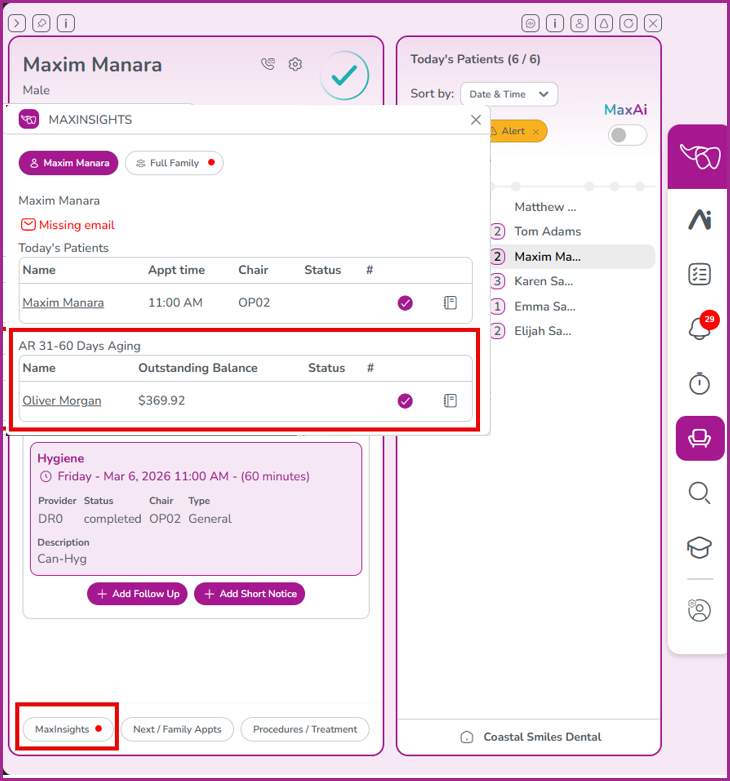
Outstanding balance alerts also appear throughout the Toolbar, giving your team greater visibility during everyday patient interactions.
Whether they are reviewing Today’s Patients, Unscheduled Treatment or another patient list, they can easily see when a patient or family has an outstanding balance.
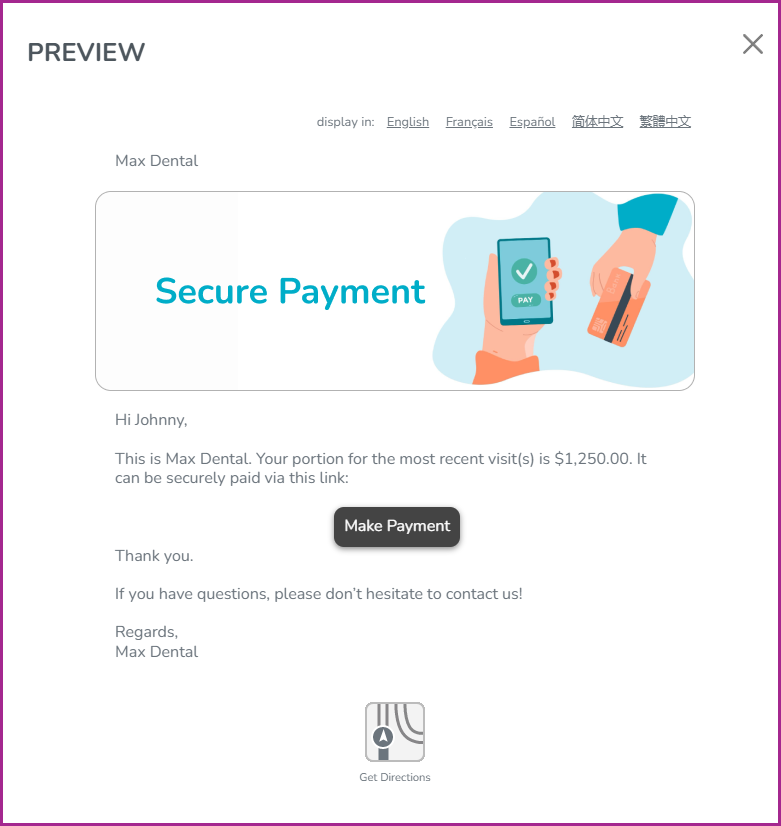
With Text to Pay, your team can send secure, personalized payment requests directly to patients by text message or email.
Each request includes the outstanding balance and the option to include your practice’s existing online payment portal link, giving patients a quick and convenient way to pay while making follow-up simpler and more efficient for your team.
The newest addition to MaxAssist helps you manage outstanding balances, monitor payment status, and keep your receivables organized in one place.
Stay on top of what you're owed with powerful new tools designed to simplify your billing process and keep your business moving forward.
MaxAR and Text to Pay are optional features and are not enabled by default. To learn more about adding MaxAR and Text to Pay to your practice, please contact our Product Specialist Team.
Phone: 1-800-651-8603 ext. 897
email: amanda.seeger@maxassist.com
Thanks for using MaxAssist!